What Post-Production Editing Actually Includes at Pouch 6 Studios in Austin
Most people who search for post-production editing in Austin are picturing a two-step purchase: book the studio, then separately hire someone to edit the footage. That’s not how a session works at Pouch 6 Studios (branded as Media Pouch across this site), and it changes what you should actually be asking before you book.
Why the Editing Workload Looks Different Here
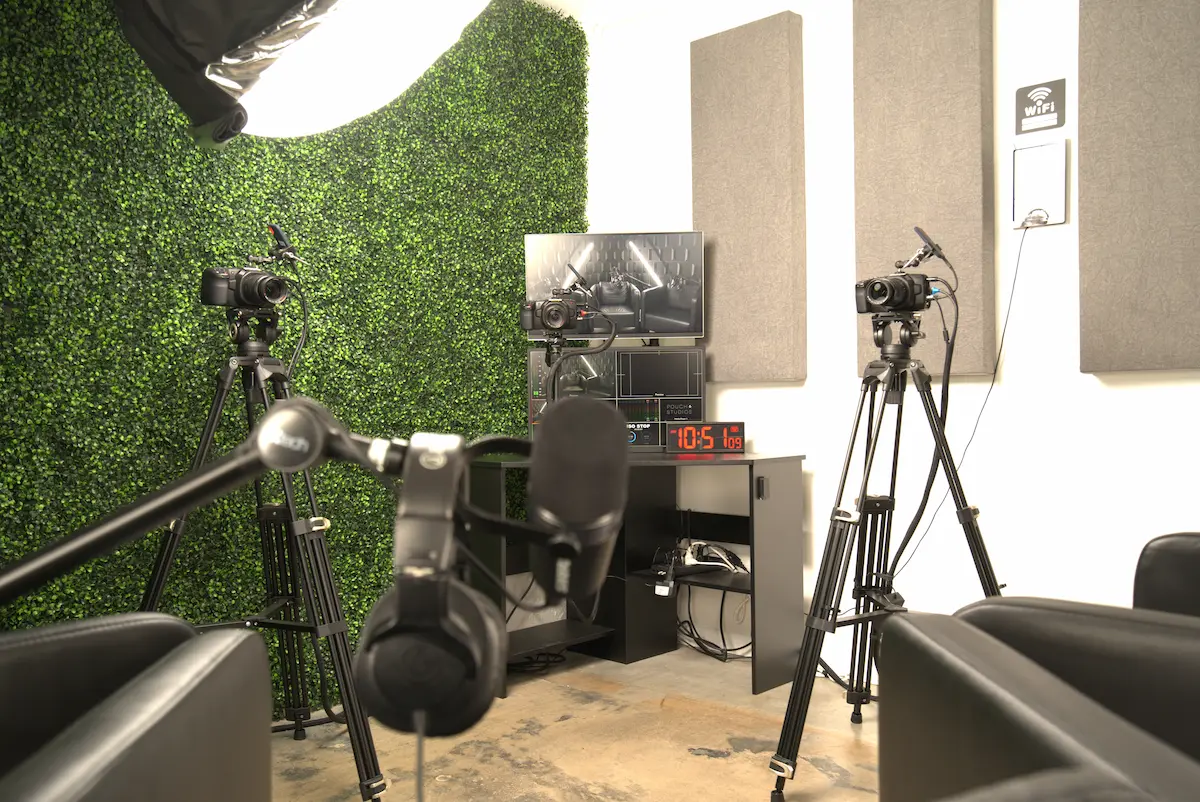
Pouch 6 runs on proprietary “smart” auto-switching software that live-edits a podcast as it’s being recorded, cutting between angles based on which microphone is active. That means a large share of the traditional editing workload, the manual camera-switching and the rough assembly, happens in real time during the shoot itself, not after.
That doesn’t remove the need for a post-production team. It changes what they’re doing. The in-house editors, Gino Naval and Brian Tubonemi, along with colorist Patrick Hoffacker, are refining a session the software has already assembled rather than building it from raw footage. If your content needs heavier custom cuts, graphics, or a specific color treatment beyond the standard delivery, that’s a conversation to have before the session, not after the files land.
Every Booking Includes the Full File Set
Here’s a distinction worth understanding clearly: Pouch 6 doesn’t sell “raw files only” or “edited files only” as separate packages. Every booking includes both, natively. Within roughly 24 hours, you receive:
- The final edited .mp4
- The individual raw audio and video files from each microphone and camera
- A pre-synced DaVinci Resolve project file
Everything is delivered through Google Drive. For agencies and in-house marketing teams that want to do their own trims, repurpose clips for social, or hand the raw files to an outside editor, this matters. You’re not paying more to unlock the raw footage; it’s already part of what you booked. If a request comes in asking whether raw-only pricing exists to save money, the honest answer is no; the file set is standardized across every session.
The 14-Day File Window You Need to Plan Around
Files live on Google Drive for 14 days after delivery, then they’re deleted. Between day 14 and day 30, recovery is possible but comes with a $250 fee. After 30 days, the files are gone.
This is the kind of detail that’s easy to overlook when you’re focused on the shoot itself, but it has real operational consequences. If your workflow involves handing files to a separate editor, a legal or brand review team, or an agency partner, build the download into your process the same day delivery lands, not two weeks later when someone finally asks for the raw audio.
What to Do If a Switch Looks Off
Because the switching is automated, it’s occasionally going to make a call that doesn’t match what you expected: a cutaway that lingers a beat too long, or a moment where sync looks slightly off during a fast exchange. The guidance here is simple: wait until the full upload finishes before judging the cut, since partial uploads can look rougher than the finished file. If something still looks wrong once everything has landed, report it within 48 hours. That window exists so the team can pull logs and source files while everything is still fresh, not weeks later when the trail is cold.
Overtime and Wrap-Up Are Billed Separately
A few operational limits shape how a session should be planned, not just how it’s edited. Sets are built for a maximum of three people on camera, and clients can’t bring or connect their own recording gear; the automation depends on the studio’s own hardware being the only signal source. Wrap-up after a session is capped at 10 free minutes. Anything beyond that, and any session that runs past its booked block, is billed at $112.50 per 30 minutes.
None of that is a post-production issue directly, but it affects the finished product. A rushed wrap-up because a session ran long is often where small technical issues creep in, which is part of why the retention and reporting windows exist in the first place. The complete session policies are listed on the studio FAQ page.
Who Is Actually Editing Your Session
Pouch 6 Studios was founded in 2018 by Ryan Gállego, who’s been behind a camera since he was 14 and combines that with an Economics & Finance background and time at Amazon, a combination that shows up in how the studio approaches throughput and turnkey delivery rather than boutique, one-off editing. The studio has logged more than 2,000 bookings and 650+ clients, with a reported 357 million-plus combined audience reach across the content produced there, and holds a 5.0 out of 5 rating across 150 reviews on Trustindex. Client-specific results, including a reported $1.75 million in new client revenue generated in 2020, are part of the studio’s track record, though individual client names aren’t shared publicly due to confidentiality agreements.
Frequently Asked Questions
Can I request only the raw files and skip the edited version to lower the cost?
No. Every booking includes the final edited .mp4, the raw files, and the DaVinci Resolve project together. There isn’t a raw-only or edited-only tier.
What happens if I don’t download my files within 14 days?
They’re removed from Google Drive automatically. Recovery is possible through day 30 for a $250 fee; after that, the files aren’t retrievable.
If I notice a missed camera switch, should I flag it immediately?
Wait until the full file has finished uploading first, since a partial upload can look choppy on its own. If the issue is still there once the upload completes, report it within 48 hours so the team can review the original source material.
Can I bring my own microphone or camera to save on add-ons?
No. The studio’s auto-switching system is built around its own equipment, so outside recording gear isn’t supported in the session.
Confirm Your File-Handling Plan Before You Book
If your team is trying to figure out whether a session’s file delivery and turnaround will actually fit your production calendar, that’s worth working through before booking rather than after. Check current studio availability, review the studio details on the Pouch 6 Studios Google Business Profile, and confirm your file-handling plan with the team when you schedule your session.